
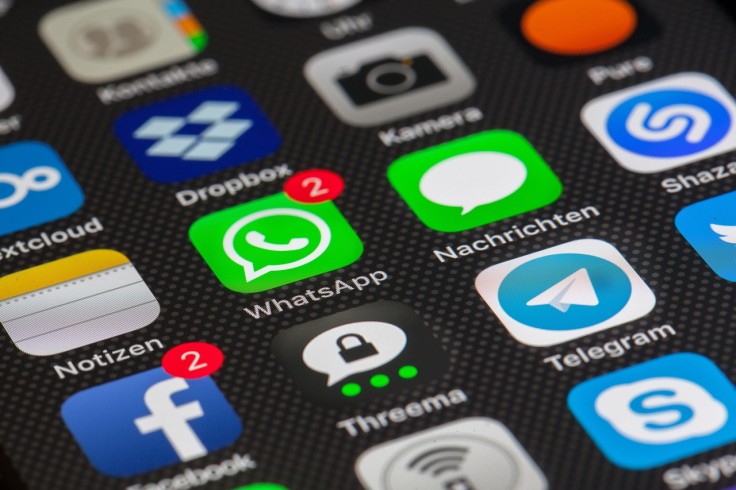
Apple's iOS operating system continues to evolve with each update, and the upcoming iOS 26.3 release brings a fresh wave of features designed to enhance privacy, improve cross-platform compatibility, and refine the iPhone experience.
As users anticipate this new version of iPhone iOS, understanding what's coming can help you prepare for the transition and get the most out of your device.
Understanding iOS 26.3: What's New This Time
iOS 26.3 represents Apple's latest incremental update to its iPhone iOS platform, with a strong focus on interoperability, user privacy, and regulatory compliance.
Unlike major releases that introduce sweeping visual overhauls, this update prioritizes functionality and behind-the-scenes improvements that make your iPhone work better with other devices and services.
The update comes following successful beta testing phases, with the third beta released in late January 2026. Apple designed iPhone iOS 26.3 through collaboration with partners like Google and with careful attention to European Union regulations, particularly the Digital Markets Act (DMA).
This means users, especially those in Europe, will see features that break down barriers between Apple and third-party devices.
Seamless Device Switching: Transfer to Android
One of the most significant additions in iPhone iOS 26.3 is the new "Transfer to Android" feature, developed jointly with Google. This tool makes switching from iPhone to Android devices remarkably simple and straightforward.
When activated, users can place their Android device next to their iPhone, and the two will automatically establish a connection. The system then wirelessly transfers photos, messages, notes, apps, and contact information to the new Android device.
The iPhone iOS 26.3 update also ensures that your phone number transfers seamlessly to your new device, maintaining continuity across your digital life.
Apple notes that certain sensitive data won't transfer through this process, including Health information, Bluetooth-paired devices, and locked notes. However, both Apple and Google indicate that additional data types will be added as beta testing progresses, expanding what users can transfer in future iterations.
Taking Control of Location Privacy
Privacy-conscious users will appreciate the new location control feature arriving with iPhone iOS 26.3. This update introduces a "Limit Precise Location" option that gives users more power over how carriers track their location.
Rather than allowing your carrier to pinpoint your exact street address, this new iPhone iOS 26.3 feature limits that precision to neighborhood-level accuracy. The toggle sits in Settings under Cellular > Cellular Data Options, making it easy to find and enable.
However, this feature requires specific hardware and carrier support. Your device needs to be an iPhone Air, iPhone 16e, or iPad Pro (M5) with cellular capability, and you'll need a carrier that supports the feature.
Supported carriers include EE and BT in the United Kingdom, Telekom in Germany, Boost Mobile in the United States, and AIS and True in Thailand. It's worth noting that this privacy control doesn't affect app-based location services or emergency calling capabilities—it specifically addresses carrier-level tracking precision.
Easier Pairing for Third-Party Accessories
Also exclusive to European Union users is proximity pairing for third-party audio devices and accessories. iPhone iOS 26.3 brings an AirPods-like pairing experience to products from other manufacturers.
With this feature, pairing third-party earbuds, headphones, or other compatible devices becomes as simple as bringing them near your iPhone and completing a one-tap NFC-based process.
Gone are the days of navigating through multiple Bluetooth settings to get a device connected. While this won't provide the seamless switching between devices that Apple's ecosystem offers, it significantly streamlines the initial connection process.
Customizing Your Homescreen: New Wallpaper Options
Apple has reorganized the wallpaper menu in iPhone iOS 26.3 by splitting the previous "Weather & Astronomy" category into two separate sections. While the actual wallpapers remain the same, the reorganization allows Apple to add new weather-themed options that display live conditions for your location.
This seemingly small change reflects Apple's commitment to customization, giving users more granular control over how they personalize their iPhone experience. Users can now more easily browse weather wallpapers separately from astronomy options, each offering different visual styles and information displays.
Which iPhones Get iPhone iOS 26.3 Support
iPhone iOS 26.3 compatibility extends to a wide range of devices. The update supports all phones that run iOS 26, including iPhone 17, 16, 15, 14, 13, 12, 11 series models, as well as iPhone SE (second generation and later).
However, certain features carry additional hardware requirements. The Limit Precise Location feature, for instance, requires a device with the C1 or C1X modem, which means newer iPhone models like iPhone Air and iPhone 16e are necessary for that specific capability.
When to Expect iPhone iOS 26.3 in Your Hands
Based on historical release patterns, iPhone iOS 26.3 is expected to roll out in early February 2026. Previous point releases like iOS 18.3 arrived in late January, giving Apple a consistent schedule for these smaller updates.
The beta versions serve as Apple's testing ground, with beta 3 released in late January. A release candidate should follow shortly, with the public launch anticipated within the next few weeks. Apple typically spaces the release candidate and public launch by approximately one week.
Performance and Battery Life: What Users Report
Testers of the iPhone iOS 26.3 beta have reported notable improvements in battery life and overall performance. Users indicate that screen-on time has increased, with some reporting 7-9+ hours of active use on devices that previously achieved less battery longevity.
The update also addresses several longstanding issues, including CarPlay connectivity problems that plagued earlier iOS 26 versions and camera issues affecting certain models.
While a few minor bugs remain under investigation—including occasional keyboard lag and app crashes—the overall stability trajectory has improved significantly from earlier beta versions.
Making the Switch: Is iPhone iOS 26.3 Worth Updating?
The decision to update depends on your priorities and device model. Battery improvements alone make iPhone iOS 26.3 attractive for users frustrated with drain issues. The cross-platform switching features benefit anyone considering leaving the Apple ecosystem or helping friends transition from Android.
Privacy-conscious users with compatible devices and carriers should appreciate the new location controls. Europeans will find the most value in the third-party device support features, finally breaking down the walls that have historically locked them into Apple's ecosystem for notifications and accessory compatibility.
For stability-focused users, waiting for the public release in early February makes sense rather than jumping into the beta. However, once released, most iPhone users will likely find meaningful improvements in their daily experience with iPhone iOS 26.3.
Frequently Asked Questions
1. Will iOS 26.3 slow down older iPhone models like iPhone 11 or iPhone 12?
No. Beta testers report that iPhone iOS 26.3 actually improves performance compared to iOS 26.2, with smoother animations and reduced lag across compatible devices, including iPhone 11 and iPhone 12 models.
2. Can I use the Transfer to Android feature if my Android device doesn't have Wi-Fi turned on?
It's recommended to enable Wi-Fi on both devices. The Transfer to Android feature in iPhone iOS 26.3 relies on high-bandwidth peer-to-peer Wi-Fi technology to complete the data transfer successfully.
3. If I enable Limit Precise Location on my iPhone, will emergency services still know my exact location?
Yes. The Limit Precise Location feature only affects carrier tracking and does not impact emergency services. When you call 911, your device will still transmit your exact location to first responders.
4. Will third-party smartwatch notifications work with all Android Wear OS devices?
Most Wear OS, Fitbit, and major wearable brands should work, but older or budget devices may lack support. Apple will publish a list of officially compatible devices as the feature rolls out.
Originally published on Tech Times


