
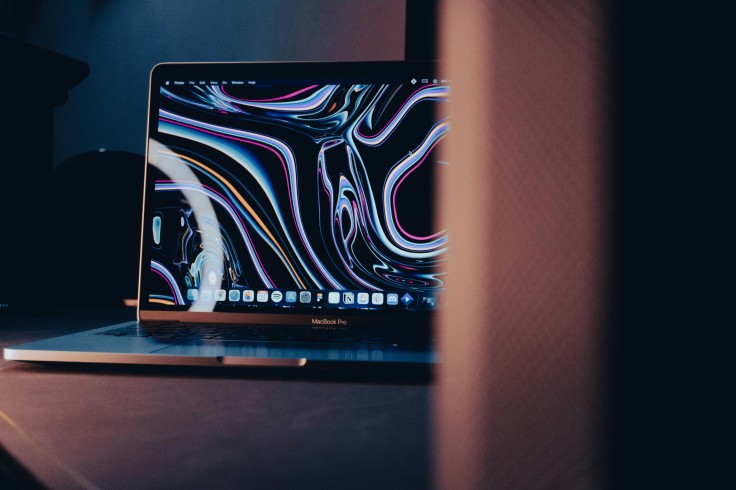
The debate over MacBook vs Windows cost centers on weighing upfront prices against long-term durability, software support, resale value, and maintenance. Apple laptops, including the M4 MacBook Air and MacBook Pro, are priced higher initially but benefit from long-lasting batteries, consistent software updates, and high resale, making them attractive for business, creative, and everyday users.
Laptop ownership comparison spans five-year horizons, covering repairs, battery replacements, SSD wear, display failures, and ecosystem perks. Windows laptops like Dell XPS, Lenovo Yoga, and HP Spectre offer lower entry costs and flexible hardware upgrades, but variable longevity and higher maintenance can offset initial savings. Understanding these total cost of ownership factors helps users choose devices that suit their budgets and workloads in 2026.
MacBook vs Windows Cost: Upfront Purchase Prices
MacBook vs Windows cost begins with the sticker price, with M4 MacBook Air ranging $999-$1,199 and MacBook Pro $1,599-$2,499. Apple's non-upgradable RAM and SSDs favor longevity and consistent performance, while Windows laptops like Dell XPS 13 ($999), Lenovo Yoga 9i ($1,299), and HP Spectre x360 ($1,499) offer broader hardware options and customization.
Pricing tiers:
- Entry: $800-$1,200 Windows ultrabooks; MacBook Air M1 $649 discounted deals.
- Premium: $1,500-$2,500 XPS, Yoga, MacBook Pro; discrete GPU options for Windows gaming.
- High-end: $2,500+ Mac Studio, Windows workstations for creative or gaming use.
Seasonal sales like Black Friday or back-to-school events can reduce costs by 20–30%, narrowing the upfront price gap between Mac and Windows laptops.
Laptop Ownership Comparison: Repairs, Maintenance, and Longevity
Laptop ownership comparison favors MacBooks for reliability and minimal repairs. Apple's Genius Bar diagnostics ($99) and batteries ($199) keep maintenance predictable, with a 5-year failure rate around 15%. Windows laptops face 25–35% hardware issues, with repair costs for screens ($400–600) and logic boards varying widely.
Maintenance factors:
- Batteries: MacBook 10–18 hours lasting 5 years; Windows 2–3 year replacements $150–$300.
- SSDs: MacBooks soldered, lasting 5–10 years; Windows NVMe replaceable $150–$350.
- Software: macOS free upgrades 7–8 years; Windows 11 extended support $30/year post-EOL.
- Downtime: Standardized MacBook hardware and AppleCare+ minimize lost productivity compared to varied Windows repair networks.
MacBook vs Windows Cost: Resale Value and Software Support
MacBook vs Windows cost advantages show up in resale. M3 MacBook Air retains ~55% after one year ($600) and ~35–40% after three years ($400), whereas Windows XPS or Yoga drops faster, losing up to 70–80% value in three years. Software support favors Apple with free macOS upgrades and ecosystem integration; Windows maintains optional feature packs and LTSC enterprise updates.
Resale factors:
- Apple ecosystem continuity boosts demand and resale prices.
- Windows hardware diversity dilutes value; brand loyalty is less consistent.
- Certified refurbished MacBooks $800; Windows open-box $500 equivalents.
- Electricity costs are minimal for both, ~$10/year for efficient M-series or Intel/AMD chips.
Laptop Ownership Comparison: Accessories, Upgrades, and Ecosystems
MacBook vs Windows cost differences extend to peripherals and upgrades. MacBooks rely on USB-C hubs ($50–200) and Magic Keyboard ($99), while Windows offers cheaper docks ($150) and wireless accessories ($30). Non-upgradable Apple RAM/SSD can be limiting, but Windows upgrades are typically $200–$350, extending usable life.
Ecosystem impacts:
- Apple: Continuity, Handoff, AirDrop, iCloud storage ($10/month).
- Windows: OneDrive cloud $7/month; flexible enterprise Active Directory.
- Gaming: Windows RTX GPUs and Steam support superior; MacBook external GPU options limited.
- Total TCO: 5-year MacBook ~$2,200; Windows $2,100–$2,800 depending on repairs and upgrades.
Making the Right Choice: MacBook vs Windows Cost and Ownership
MacBook vs Windows cost and laptop ownership comparison balance premium upfront pricing with durability, resale, and ecosystems. MacBooks excel for long-term use, creative work, and standardized business environments, while Windows provides flexible hardware options, budget entry points, and broad service networks.
Total cost of ownership depends on usage patterns, repair tolerance, and workflow needs. Informed buyers can weigh trade-offs between MacBook longevity and premium, or Windows flexibility and variable costs, ensuring choices match budgets and maximize productivity over five years.
Frequently Asked Questions
1. Are MacBooks really cheaper over five years than Windows laptops?
Yes, while MacBooks have higher upfront costs, lower repair frequency, longer battery life, and high resale can make total ownership costs comparable or even lower than Windows over five years. Windows laptops may require multiple battery replacements and repairs, raising expenses over time. MacBook longevity also benefits from extended software support and ecosystem integration. Individual usage patterns, however, can influence total costs.
2. How much does a MacBook battery replacement cost compared to Windows?
A MacBook battery replacement with AppleCare+ costs around $199, lasting about 5 years under normal use. Windows laptop batteries typically cost $150–$300 and may need replacing every 2–3 years. Battery degradation affects performance, especially for intensive tasks like video editing or gaming. Frequent replacements can increase total cost of ownership for Windows devices significantly.
3. Do MacBooks hold resale value better than Windows laptops?
Yes, MacBooks retain about 50–60% of their value after one year, while Windows laptops often lose 50–70% in the same timeframe. Apple ecosystem continuity and strong brand demand help maintain prices. Refurbished Apple devices also sell at premium rates compared to open-box Windows laptops. Depreciation rates can vary based on model, condition, and market trends.
4. Are Windows laptops better for upgrades than MacBooks?
Windows laptops often allow RAM, SSD, and GPU upgrades post-purchase, making them flexible for long-term customization. MacBooks have soldered RAM and SSDs, limiting upgrades but benefiting long-term stability. Accessory expansion is generally easier on Windows due to USB-A ports and docking options. Upgrade costs should be considered in the total cost of ownership for Windows users.
Originally published on Tech Times


