
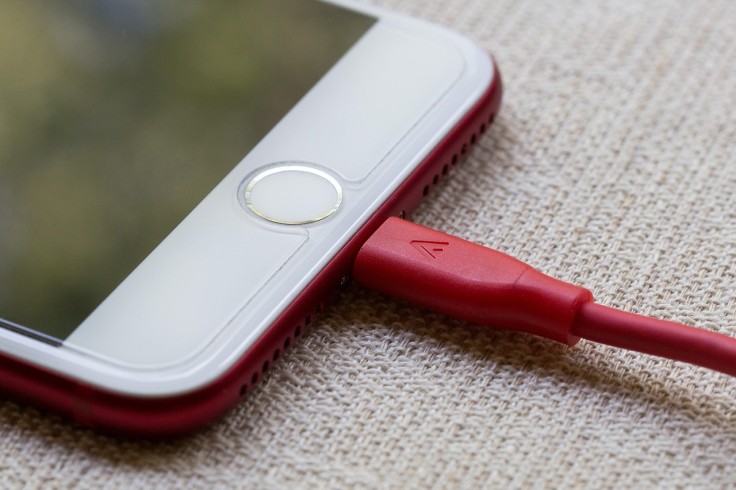
Modern smartphones rely on safe, stable power to stay healthy, yet many users overlook the role their charging cable plays in that process. When a cable begins to fail, it can do more than slow down charging; it can strain the battery, wear out the charging port, and even present safety risks.
Recognizing early damaged cable signs helps prevent bigger charging cable problems and long-term phone charger issues.
Common Signs Your Charging Cable Is Damaging Your Device
1. Visible Damage on the Cable
One of the clearest indicators of trouble is visible, physical damage. Frayed or exposed wires near the connector or along the length of the cable show that the protective insulation has worn away, leaving the inner conductors vulnerable.
Small cracks in the outer jacket, bent or distorted connectors, or discoloration around the plug are additional damaged cable signs that should not be ignored. When a cable reaches this state, it can short internally, overheat, and send unstable power to the device, increasing the risk of both hardware damage and safety incidents.
2. Loose or Wobbly Connection When Plugged In
Another red flag appears when the cable only works at a specific angle or position. If a user has to twist, bend, or hold the connector in a certain way to keep the phone charging, the internal wiring or connector contacts may already be compromised.
A plug that feels unusually loose or wobbly in the port, despite being fully inserted, suggests wear at the contact points or deformation of the connector.
Over time, this repeated movement and poor fit can turn simple charging cable problems into serious phone charger issues, including a worn-out charging port that is expensive to repair.
3. Intermittent or Unstable Charging
Intermittent charging is one of the more subtle, but important, damaged cable signs. The phone may start charging, then stop randomly without being touched, or the charging icon may flicker on and off.
In some cases, the device might display occasional "not charging" or similar messages, even though everything appears plugged in correctly.
These patterns suggest that the power flow from the cable to the device is unstable. Repeated power drops and spikes can stress the battery and charging circuitry, making intermittent behavior a warning sign rather than a minor annoyance.
4. Unusual Heat from Cable, Charger, or Phone
Heat is a natural byproduct of charging, but excessive or unusual heat around the cable, connector, or phone is a cause for concern. If the cable's plug feels hot to the touch or the plastic near the connector softens, warps, or discolors, the cable may be drawing or delivering power inefficiently.
A faint burning smell or visible scorch marks are even more serious indicators that the cable is unsafe. In these cases, what might appear to be small charging cable problems can escalate into fire risk or permanent damage to internal components if the cable remains in use.
5. Slow Charging or Battery Percentage Rising Very Slowly
Many users first notice issues when the phone simply takes much longer to charge than it used to. If the device needs significantly more time to reach a reasonable battery level, despite using the same charger and outlet, the cable may be restricting power flow.
Internal breaks, corrosion on the contacts, or poor-quality conductors can reduce the amount of current reaching the phone. Over time, chronic underpowering and unstable current contribute to phone charger issues such as battery wear, reduced capacity, and irregular battery percentage behavior.
6. Error Messages and Accessory Warnings
Smartphones often provide software hints that something is wrong with the charging setup. Messages like "accessory not supported," "incompatible accessory," or repeated notifications that the cable has been disconnected can indicate that the phone detects irregularities in the connection.
While these alerts are not always caused by the cable alone, they frequently appear when low-quality or damaged cables are in use. If the same adapter and outlet work well with another cable, the problematic accessory is likely the one generating such warnings and contributing to ongoing charging cable problems.
7. Physical Damage to the Charging Port
Over time, a faulty cable can transfer its problems to the phone's charging port. A connector that fits poorly, scrapes, or requires force to insert can gradually bend or wear down the port's pins.
Users may notice that the cable slips out easily or that the port feels loose with multiple cables. In some cases, the port may show visible damage, such as bent pins or uneven wear. Continued use of a defective cable in this state accelerates wear, turning what started as a cable issue into a hardware repair.
What to Do If These Damaged Cable Signs Appear
Stop Using the Suspicious Cable
When a cable shows obvious wear, overheating, or sparks, the safest step is to stop using it immediately. Unplugging the cable from both the device and the outlet or adapter prevents further risk. Continuing to rely on visibly damaged accessories turns fixable charging cable problems into preventable hardware failures or safety incidents.
Test with a Different Cable and Charger
After setting aside the suspect cable, testing with another known-good cable and charger can clarify the situation. If the device charges normally with the replacement, the original cable is confirmed as the source of the phone charger issues.
If problems persist even with reliable accessories, the user may need to investigate the charging port, power adapter, or wall outlet.
Inspect and Clean the Charging Port Safely
Lint, dust, and other debris can accumulate inside a charging port over time, especially when the phone is carried in pockets or bags. Using a bright light, users can perform a gentle visual inspection to see if anything appears lodged inside the port.
If the port looks dirty, careful cleaning with appropriate non-metallic tools or professional assistance can help restore a solid connection. However, if pins appear bent or damaged, it is safer to seek a technician rather than risk further harm.
Replace with a High-Quality, Certified Cable
Once a damaged cable is identified, replacing it with a robust, certified option is the best long-term step. High-quality cables often include better materials, thicker insulation, and stronger strain relief at the connector ends, helping them withstand daily use.
Looking for cables approved or certified for a specific device ecosystem, and from reputable brands, reduces the likelihood of future charging cable problems and improves safety.
Preventing Future Phone Charger Issues with Smart Cable Habits
Preventing damage is easier than repairing it. Simple habits, such as unplugging by holding the connector instead of yanking the cord, avoiding sharp bends or tight knots, and not letting the phone dangle from the cable, all extend cable life. Storing cables in a loose coil rather than cramming them into pockets or bags also helps preserve the internal wiring.
Replacing a cable at the first sign of fraying, heat, or intermittent performance keeps minor damaged cable signs from escalating into full-blown charger failures, port damage, or battery stress. Over time, mindful cable care and thoughtful accessory choices lead to fewer phone charger issues and a longer, safer life for the device.
Frequently Asked Questions
1. Can using my phone while charging damage the cable?
Yes. Constant bending, pulling, and twisting of the cable while using the phone can strain the internal wires and connector, making it fail faster.
2. Is it okay to leave my charger plugged in without the phone?
Generally yes, but it adds small, constant wear on the adapter and wastes a bit of power. Unplugging when not in use is safer and more efficient.
3. Do longer charging cables cause more problems than short ones?
Very long, poorly made cables can cause slower charging and voltage drop. High-quality, properly rated long cables usually work fine.
4. How often should a charging cable be replaced?
There is no fixed schedule. Replace it as soon as you notice fraying, looseness, overheating, or unreliable charging, even if it still works occasionally.
Originally published on Tech Times


