
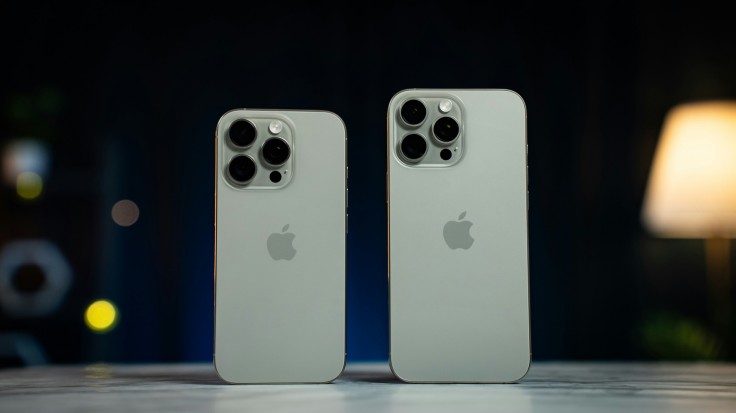
The iPhone 16 lineup introduces powerful camera upgrades that make professional-quality photography more accessible than ever. With the right iPhone 16 camera settings, users can unlock sharper images, better dynamic range, and smoother video performance without needing external tools.
From ProRAW detail capture to Photographic Styles and low-light enhancements, Apple's camera system is built for flexibility. Learning how to fine-tune exposure, formats, and advanced controls ensures consistent results whether you're shooting portraits, landscapes, or cinematic video clips.
Smart Tips for iPhone 16 Camera Settings
Getting the best results from your iPhone starts with understanding its built-in tools. These iPhone 16 camera settings help maximize image quality, improve consistency, and adapt to different lighting conditions.
- Enable ProRAW 48MP: Turn on ProRAW in Settings > Camera > Formats for maximum detail capture. This allows more flexibility in editing, especially for highlights and shadows.
- Use HEIF Max for Daily Shots: HEIF Max balances quality and file size efficiently. It delivers sharp images while saving storage compared to RAW formats.
- Adjust Exposure Manually: Tap the screen and drag the exposure slider to fine-tune brightness. Lower exposure in bright scenes and raise it slightly in cloudy conditions.
- Lock Focus and Exposure (AE/AF Lock): Tap and hold to lock settings before recomposing. This ensures consistent lighting and sharp focus across your frame.
- Turn Off Live Photos When Needed: Disable Live Photos for faster shooting and reduced file sizes. This is ideal for action shots or burst photography.
- Enable Grid for Composition: Turn on the grid to follow the rule of thirds. This improves framing and creates more balanced, professional-looking images.
- Use 1.2x–2x Zoom for Portraits: Stay within optical zoom range for sharper results. Digital zoom beyond that may reduce clarity.
- Enable Macro Control: Manually switch to ultra-wide for close-up shots. This avoids automatic lens switching that can disrupt framing.
- Experiment with Photographic Styles: Adjust tone and warmth in real time. These styles help maintain consistent color profiles across your photos.
Best iPhone 16 Camera Settings for Photo and Video Formats
Choosing the right format is essential for balancing image quality and storage efficiency. iPhone 16 camera settings provide flexible options that let you prioritize detail, file size, or editing control depending on your needs.
- ProRAW 48MP (Maximum Detail): Enable ProRAW Resolution Control to capture highly detailed 48MP images. This format is ideal for editing, preserving highlights and shadows with greater flexibility.
- JPEG-XL Lossy (Efficient Quality): Offers smaller file sizes while maintaining strong image detail. It's perfect for users who want high-quality photos without consuming too much storage.
- HEIF Max (Everyday Use): Delivers sharp images with efficient compression for daily photography. This format is ideal for social media sharing and quick captures.
- Apple ProRes Video (Professional Recording): Enables high-quality video capture with better color grading control. Best suited for creators working on advanced editing workflows.
iPhone 16 Pro Max Camera Settings for Better Exposure Control
Proper exposure is key to capturing balanced and visually appealing photos. iPhone 16 Pro Max camera settings make it easy to adjust brightness and maintain detail in different lighting conditions.
- Manual Exposure Adjustment: Tap the screen and drag the slider to control brightness levels. Small tweaks like -0.3 or +0.3 can significantly improve highlight and shadow balance.
- AE/AF Lock (Focus & Exposure Lock): Tap and hold to lock both focus and exposure before recomposing. This ensures consistent lighting across your entire shot.
- Night Mode Optimization: Automatically activates in low-light scenes for brighter images. Keeping the phone steady enhances clarity and reduces noise.
- Macro Control for Lighting Precision: Helps maintain proper exposure in close-up shots. Prevents sudden lens switching that can affect brightness and focus.
Advanced iPhone 16 Plus Camera Settings for Better Photos
Advanced settings allow you to refine composition and improve overall image quality. These iPhone 16 Plus camera settings help create more consistent and professional-looking shots.
- Grid and Level for Composition: Enable grid lines to follow the rule of thirds. This improves framing and keeps your shots visually balanced.
- Disable "View Outside Frame": Removes distractions outside your main frame. Helps you focus better on your subject and composition.
- Macro Control for Close-Ups: Manually switch lenses for detailed close-up photography. This prevents abrupt transitions and keeps framing stable.
- Photographic Styles & Creative Controls: Adjust tone, contrast, and saturation in real time. These settings help maintain a consistent visual style across photos.
- Optimized Zoom (1.2x–2x Range): Stay within optical zoom for sharper results. Avoid excessive digital zoom to preserve image clarity.
Video ProRes Optimization
iPhone 16 photography settings elevate video capture with professional-level tools. Enabling ProRes allows for higher-quality footage with better color grading flexibility, especially when using Log format. This is ideal for creators who want more control during post-production while maintaining sharp detail and dynamic range.
Action Mode provides excellent stabilization for handheld shooting, making videos smoother even in motion. Shooting in 4K60 ensures crisp visuals, while Lens Correction minimizes distortion from ultra-wide lenses. Night Mode also enhances low-light video and photo capture, allowing brighter scenes without relying on flash.
Unlock iPhone 16 Camera Settings Mastery
Mastering iPhone 16 camera settings allows users to consistently capture high-quality photos and videos with ease. From selecting the right formats to adjusting exposure and enabling advanced features, these tools provide full creative control. Even small tweaks can significantly improve clarity, color accuracy, and overall composition.
By combining these techniques, users can elevate their photography without needing professional gear. iPhone 16 Pro Max camera settings and iPhone 16 Plus camera settings both offer powerful capabilities that adapt to different shooting styles. With regular practice, capturing stunning, professional-looking content becomes second nature.
Frequently Asked Questions
1. What is the best format for iPhone 16 photos?
HEIF Max is ideal for most users because it balances quality and file size. ProRAW is better for editing flexibility and professional workflows. JPEG-XL offers efficient compression with high detail retention. The best choice depends on how you plan to use and edit your photos.
2. How do I improve low-light photos on iPhone 16?
Use Night Mode and keep the phone steady for 3–5 seconds. Adjust exposure slightly to avoid over-brightening the image. Avoid using flash to maintain natural lighting. ProRAW also helps retain more detail in dark environments.
3. Should I always use ProRAW on iPhone 16?
ProRAW is great for detailed editing but uses more storage. It's best for important shots like portraits or landscapes. For everyday photos, HEIF Max is more practical. Switching between formats based on your needs is the best approach.
4. What settings improve iPhone 16 video quality?
Enable ProRes for higher-quality recording and better editing flexibility. Use 4K60 for sharp and smooth footage. Turn on Action Mode for stabilization during movement. Adjust lighting and exposure manually for more cinematic results.
Originally published on Tech Times


